You can ask experts to answer follow-up questions directly from the project portal.
Whether you need a quick clarification or want to dig deeper into something an expert said, follow-up questions give you a flexible way to keep learning from the same experts, without needing to schedule another call.
How it works:
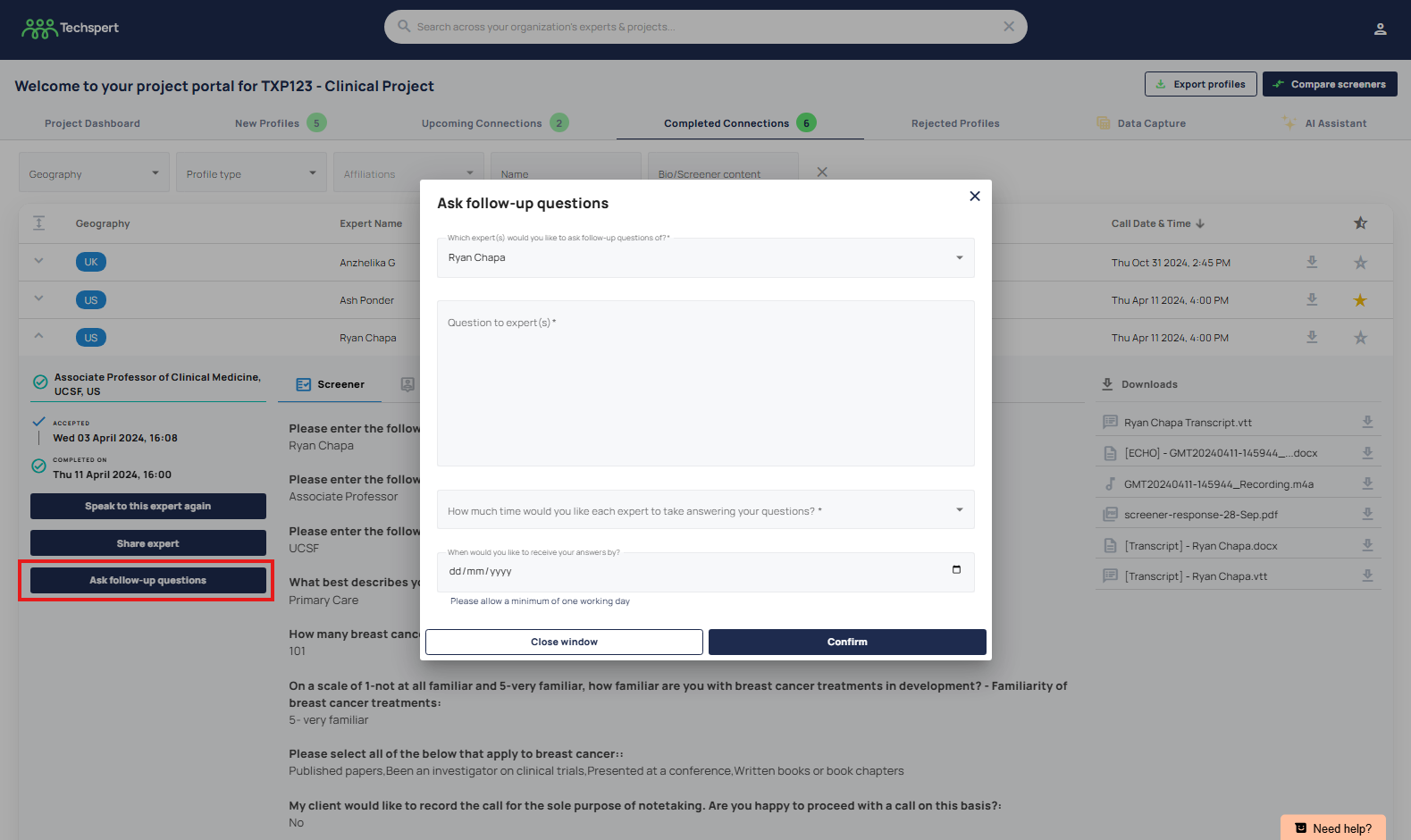
- In the 'Completed Connection' tab, click the 'Ask Follow-up Question' button.
- Choose your expert(s)
- Add your questions
- Select how much time you’d like them to spend on their answers
- Set a deadline
- Submit the form - we’ll take care of the rest.
- Once answers are ready, you’ll find them saved in the 'Completed Connections' area, in a new tab next to the expert's biography, titled 'Follow-Up Questions'.
This feature also works on closed projects, simply submit the form and our Project Team will pick up your request.
Was this article helpful?
That’s Great!
Thank you for your feedback
Sorry! We couldn't be helpful
Thank you for your feedback
Feedback sent
We appreciate your effort and will try to fix the article