You can reject an expert from the shortlist by clicking the thumbs down reject buttom at the top right corner of their profile. The expert is then automatically moved to the 'Rejected Profiles' tab.
When you reject an expert, you can provide feedback on why they are being rejected. Your rejection reasons are immediately sent to your Project Manager for review and ensure ongoing alignment on any changing project criteria. You can view rejection reasons shared by yourself or your colleague in the Rejected Profiles page, under the 'Rejection Reason' tab.
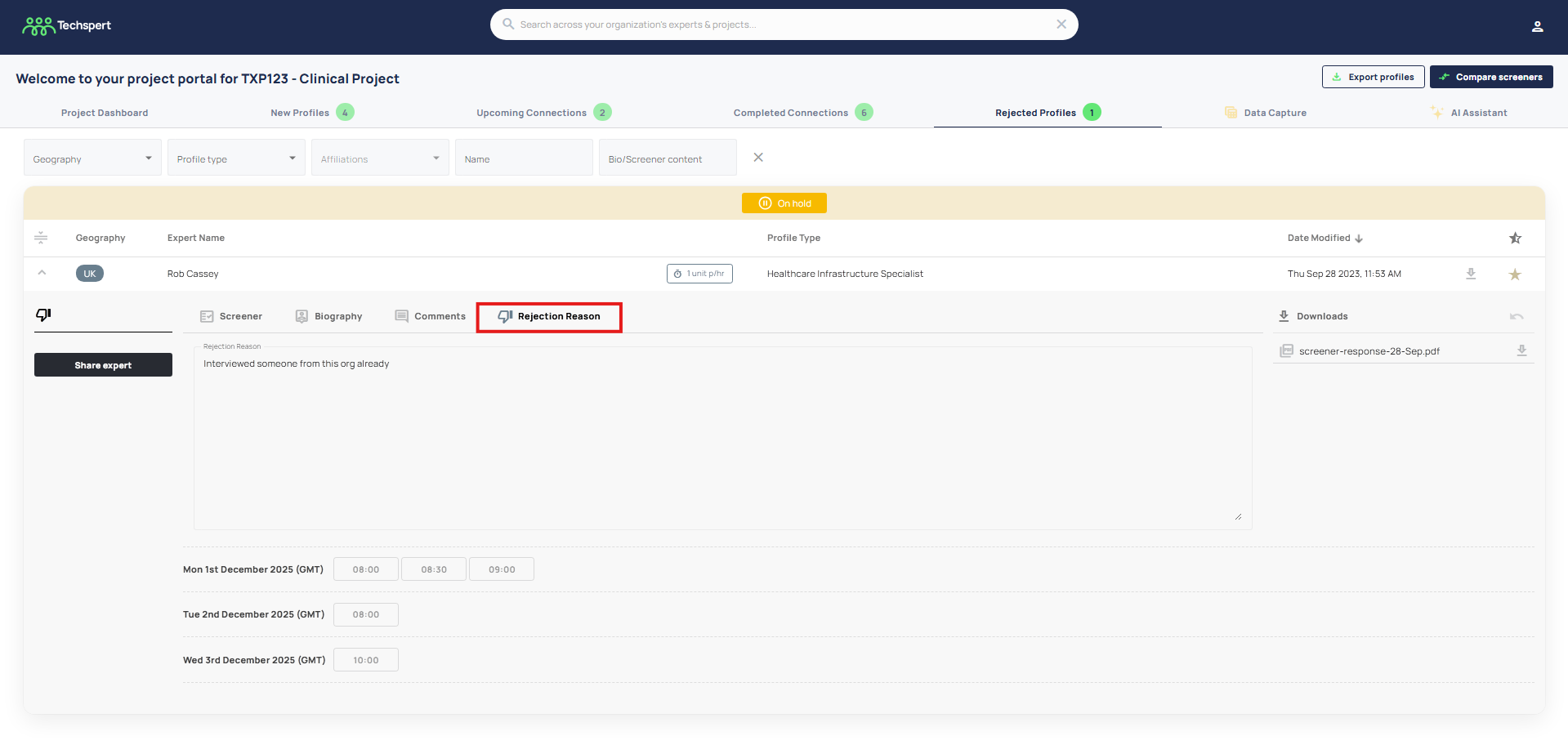
If you need to 'un-reject' an expert, you can navigate to the Rejected Profiles tab, click the undo symbol on the top of their profile box, and the expert will be moved back to the New Profiles tab.
Was this article helpful?
That’s Great!
Thank you for your feedback
Sorry! We couldn't be helpful
Thank you for your feedback
Feedback sent
We appreciate your effort and will try to fix the article