Introduction
Your Techspert generated transcripts now use an AI-enriched project keyword library, which helps the platform capture complex medical vocabulary like drug, therapy, and product names more accurately in every new transcript.
This keyword library also improves downstream outputs like call summaries, the AI Assistant, and Data Capture. This also applies to any calls uploaded into the Techspert platform through the Data Capture.
What the keyword library does
Each project has a keyword list that the transcription model references when generating future transcripts. You can view, add, or remove terms at any time from your project dashboard.
How keywords are generated
The keyword library is built and updated automatically from your project materials:
At project kickoff: your screener is scanned for drug and product names, and those terms are added to the library.
If you use Data Capture: questions in your discussion guide are also scanned and deduplicated into the same library.
When you add a new Data Capture sheet: the scan runs again to pick up new terms.
Step-by-step: View and edit your keyword library
1) Open your project dashboard
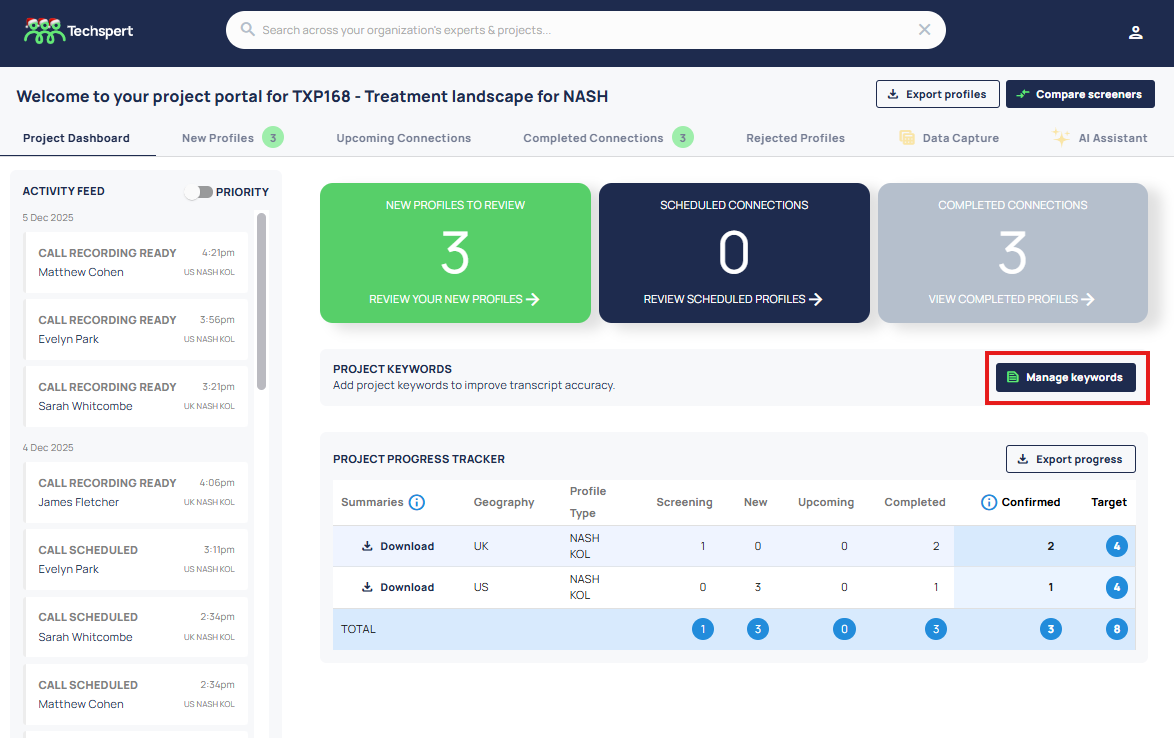
Go to the relevant project in the Techspert platform and navigate to the Project Dashboard tab.
2) Find the Project Keyword Library
Locate the Project Keywords section (this is where the current keyword list is shown). Click the Manage Keywords button.
3) Manage the keyword list
Your list is automatically populated with keywords using the methodology described above. You can add any additional terms that are important for your project but may not appear in the screener or discussion guide, for example:
Drug and product names
- Therapy areas and indications
Company names
MOAs and pathway names
Abbreviations or acronyms
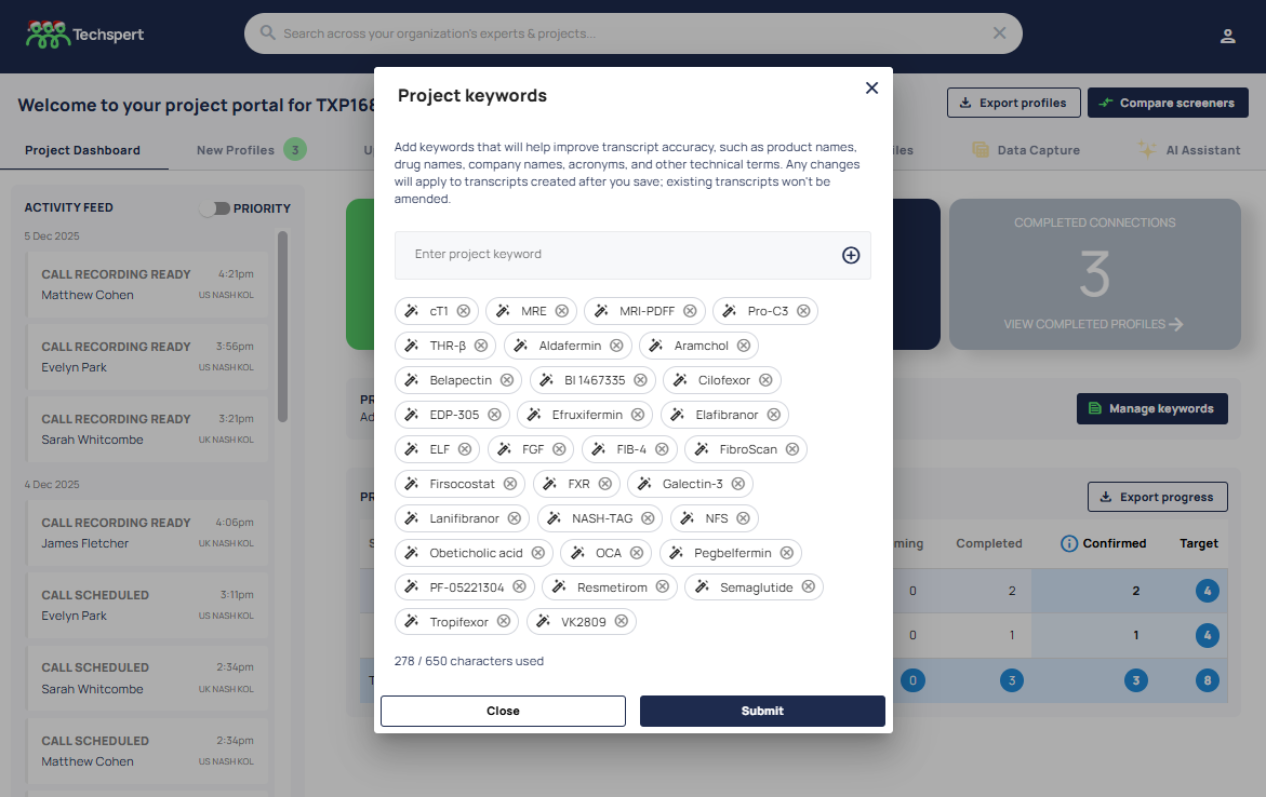
Techspert generated keywords display with a magic wand icon. User added keywords display with a 'tick' icon.
4) Save your changes
Once saved, all future transcripts generated for the project will reference the updated keyword list.
Important behavior to note
Changes only apply going forward: updating keywords affects future transcripts only.
Past transcripts do not change: existing transcripts stay as they are.
Why this matters
Medical transcription accuracy can suffer when terms are long, similar to each other, or highly specialized. A curated set of project-specific keywords gives our transcription model a reliable reference point, resulting in:
Higher accuracy for drug, therapy, and product names
Better-quality data flowing into summaries, the AI Assistant, and Data Capture
More control for niche or brand-specific terminology
Less time spent correcting transcript errors - resulting in faster analysis
Tips for best results
Add keywords as early as possible, before calls take place.
Update the library whenever your project introduces new therapies, competitors, or acronyms.
Was this article helpful?
That’s Great!
Thank you for your feedback
Sorry! We couldn't be helpful
Thank you for your feedback
Feedback sent
We appreciate your effort and will try to fix the article