When you access a transcript within the AI Assistant, you will notice a small star next to each line of the transcript.
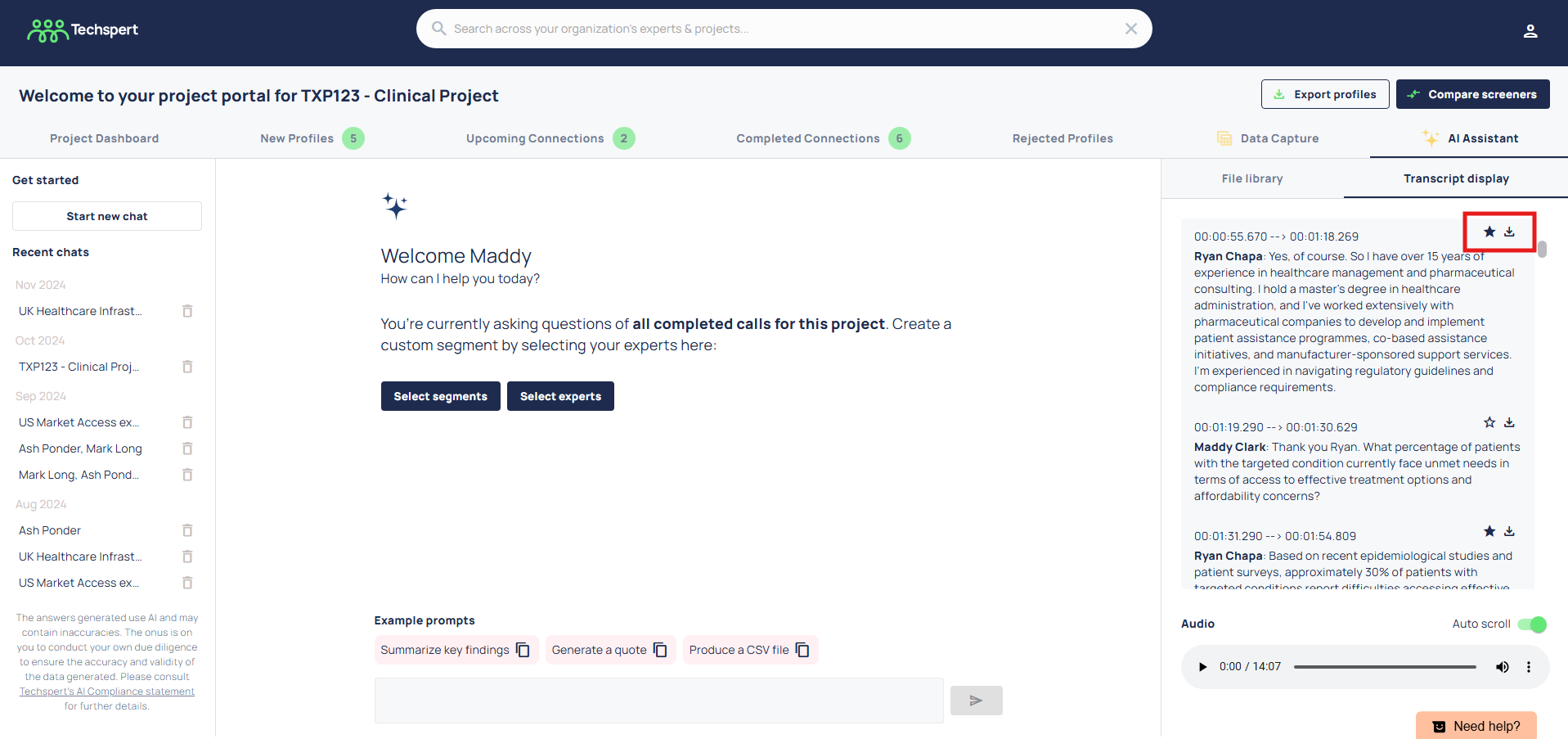
Clicking this star will favourite the quote for you and add it to your quote library.
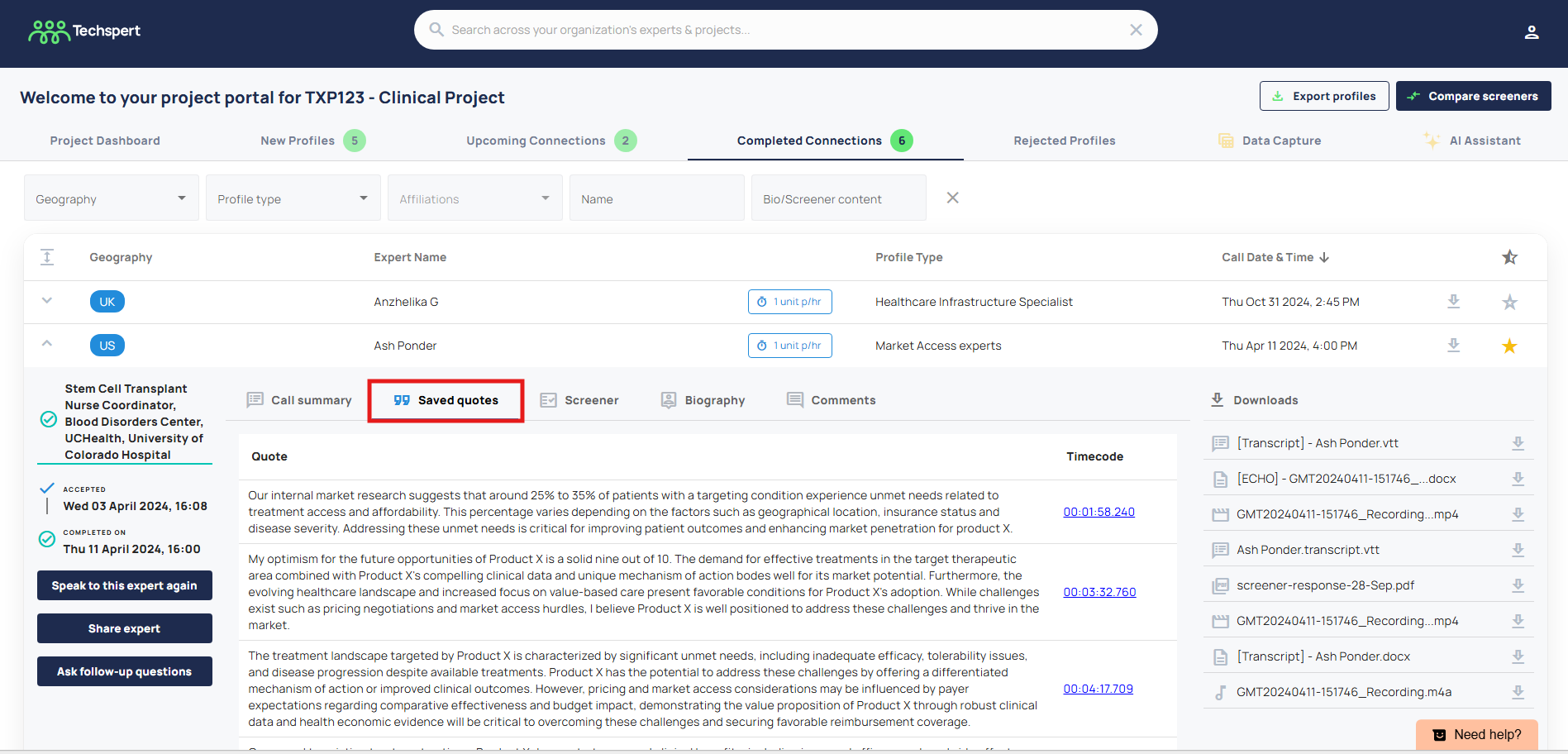
To retrieve these quotes, all you need to do is navigate to the completed connections tab, and under each expert you will see a ‘saved quotes’ section. Clicking the timestamp will take you back to the location in the transcript where the quote was sourced from.
Was this article helpful?
That’s Great!
Thank you for your feedback
Sorry! We couldn't be helpful
Thank you for your feedback
Feedback sent
We appreciate your effort and will try to fix the article