In response to our customer feedback!
Now Techspert's data capture (DC) grid, includes a summary cell at the bottom of each question.
What does this mean? Key themes and trends across all respondents' answers are consolidated by including references to the relevant sections of the transcript where appropriate.
Why this matters?
Although our DC grid already saves time for our clients, they still need to review responses manually or copy them into other tools to identify key themes for interim and final reports. Summary cells reduce this extra work by highlighting the main takeaways directly in the portal!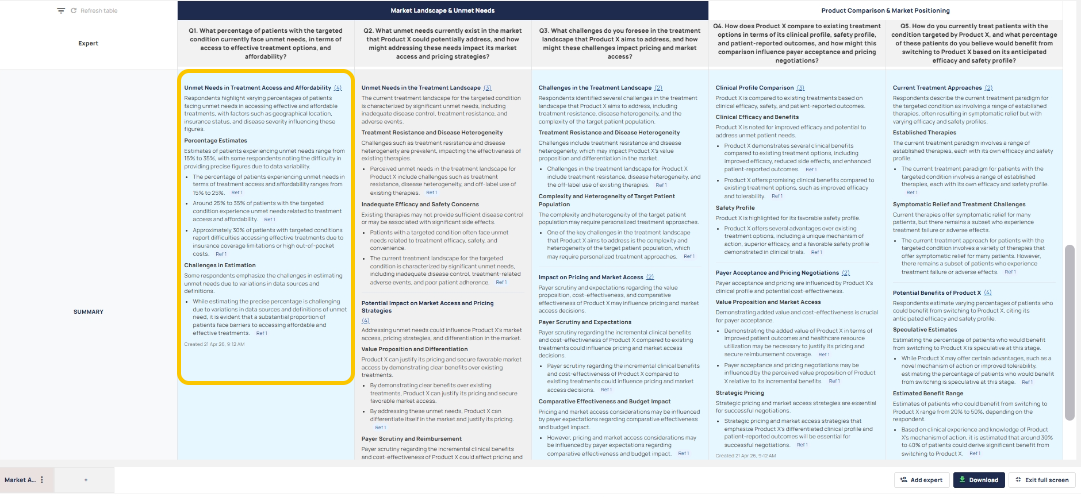
How it works.
- Automatic Creation
- A summary is generated once a question has 2 or more responses. - Live updates
- New response added = Summary updates automatically.
- No action needed. - Respondent removal
- If a respondent is removed:
- Summary is regenerated (if enough questionees remain).
- Or removed (if valid responses remaining are not enough). - Question changes:
When a question is updated, the summary adjusts automatically.
- If added, the summary appears once enough responses are collected.
- If edited, the summary refreshes.
- If deleted, the summary is removed.
Notes to consider:
Summaries are only shown when data is reliable enough (minimum two responses).
Summaries always reflect the latest data.
No manual refresh or action is required.
Was this article helpful?
That’s Great!
Thank you for your feedback
Sorry! We couldn't be helpful
Thank you for your feedback
Feedback sent
We appreciate your effort and will try to fix the article